
Download
The complete swipe pack
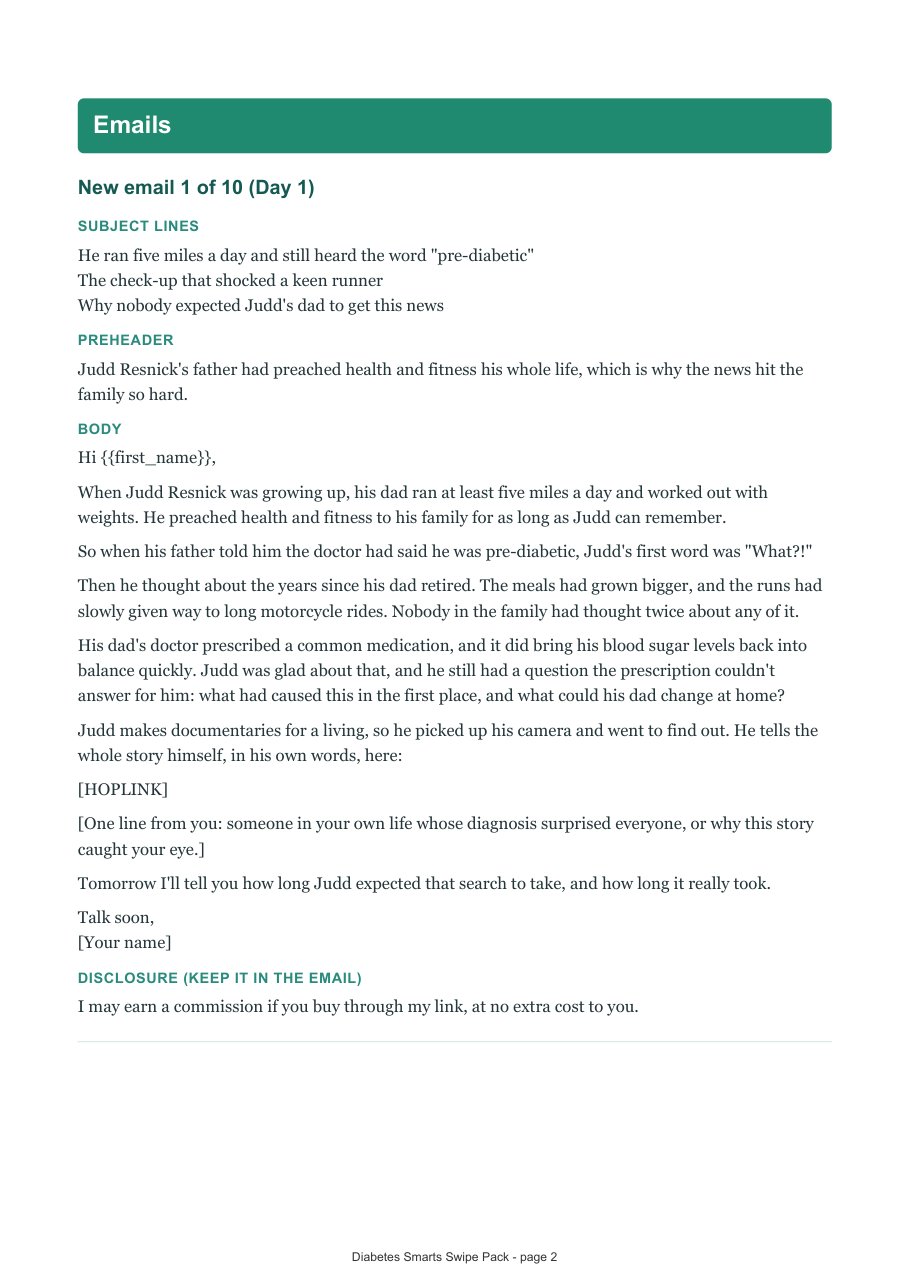
The new Diabetes Smarts swipes in one file you can keep: 10 emails, 16 ads and 15 social posts. Take the PDF to read and plan, or the Word file to edit and copy from.

- 24A4 pages
- 10ready emails
- 16ads
- 15social posts
What is inside
- How to use it: where your hoplink goes, the two pages it can open, and the rules in one paragraph.
- 10 new emails, one a day, each with three subject lines and a preheader.
- Newsletter and solo ads, then short social and search ads.
- Social posts for Facebook, Instagram, YouTube community posts and TikTok videos.
Two things to replace before you send
[HOPLINK]
Your hoplink. Make it in the hoplink maker with your ClickBank nickname and paste it in place of [HOPLINK]. Keep the page the swipe names: type=written for the written sales letter, type=freep for the free video presentation.
{{first_name}}
Your email tool’s first-name tag, with a fallback such as “there”. In AWeber that is {!firstname_fix}; in Mailchimp it is *|FNAME|*.
Lines in [square brackets] are notes for you. Replace them with a true sentence of your own, because that is the line your readers will trust most. Prefer your link already filled in? The Emails, Text / Newsletter Ads and Social Posts pages do that for you once your hoplink is saved.
Never link to the order form, and never promise anyone a cure, a reversal or any particular health result. Say that you earn a commission, and send people to the sales page.
A look inside
Questions? Ask your affiliate manager